

Eight photos in, eight transparent WebPs out, 30.7 MB lighter. JPEG, HEIC and a RAW DNG
all in one batch, cut out with BiRefNet on this Mac.
ffmpeg can do nearly anything, as long as you remember the flags. ffmep is the flags, remembered. It uses stock macOS controls and Liquid Glass on macOS 26, so it looks like something Apple could have shipped.
It also does a few things ffmpeg alone makes awkward: photos from an iPhone, WebP in both directions, Live Photos, and cutting the subject out of a picture.
From a clone of this repo:
scripts/build-ffmpeg.shVERSION=1.0.0 scripts/make-app.shThe first script builds a static arm64 ffmpeg and ffprobe into vendor/. It takes
a while the first time, and re-runs skip whatever already finished. It needs the
Xcode command line tools and brew install cmake meson ninja pkgconf.
The second builds the app, bundles that ffmpeg, signs it ad-hoc and writes
build/ffmep.app and build/ffmep.zip. Use CONFIG=debug for a debug build in
build/debug/.
Needs an Apple silicon Mac running macOS 14 or later. Build with the macOS 26 SDK or newer to get Liquid Glass.
Tip
The build is signed ad-hoc, so Gatekeeper will refuse the first launch. Right-click
ffmep.app and choose Open once, and it will start normally after that.
- Video to MP4, MOV, MKV, WebM or GIF, as H.264, HEVC, ProRes, VP9 or AV1. H.264, HEVC and ProRes go through VideoToolbox when the Mac has a hardware encoder for them, so they finish in a fraction of the time.
- Audio to MP3, AAC, WAV, FLAC, ALAC or Opus, including pulling the soundtrack out of a video.
- Images to WebP, JPEG, PNG or HEIC. Anything ImageIO can open goes in, RAW DNGs included. JPEG, PNG and HEIC are written by ImageIO directly, WebP by the bundled ffmpeg.
- A file size instead of a quality. Turn on Limit File Size, type 10 MB, and ffmep works out the bitrate that fits. Or skip it and use the slider, with Small, Balanced and High to start from.
- Resize, rotate, flip, change the frame rate, strip metadata, or squeeze out every last byte with maximum compression.
- A queue that keeps moving. Images, audio, hardware video and software video each get their own lane with their own limit, so a slow AV1 encode doesn't hold up a folder of photos.
- Save next to the originals, into a folder, or replace the originals. Replaced files go to the Trash, and only once the new file is safely written.
Drop in a Live Photo, the .HEIC and the .mov together, and it shows up as one
row with a Live Photo badge. Export the still, the motion as an MP4, or the motion
as an animated GIF.
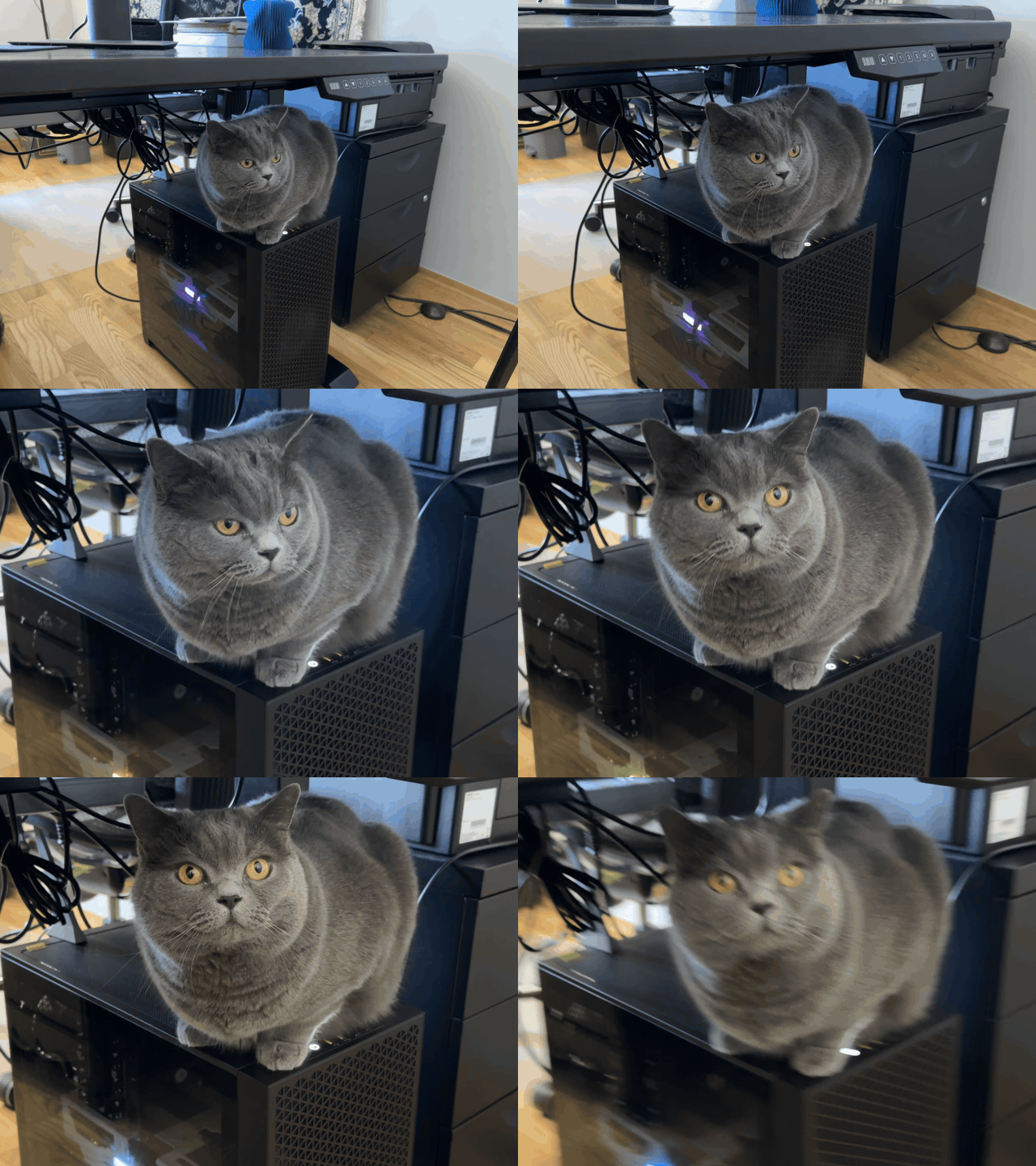
A Live Photo, exported as a GIF at 480p. No trimming, no Photos app, no third-party site.
Set Background to Transparent or White and ffmep cuts the subject out before converting. Formats without transparency, like JPEG, get white instead.
It works straight away with Apple's Vision framework. The first time you use it, ffmep offers to download BiRefNet, a 408 MB Core ML model with much cleaner edges on fur, hair and anything thin. Either way it runs on your Mac, and the model can be removed again from Settings.
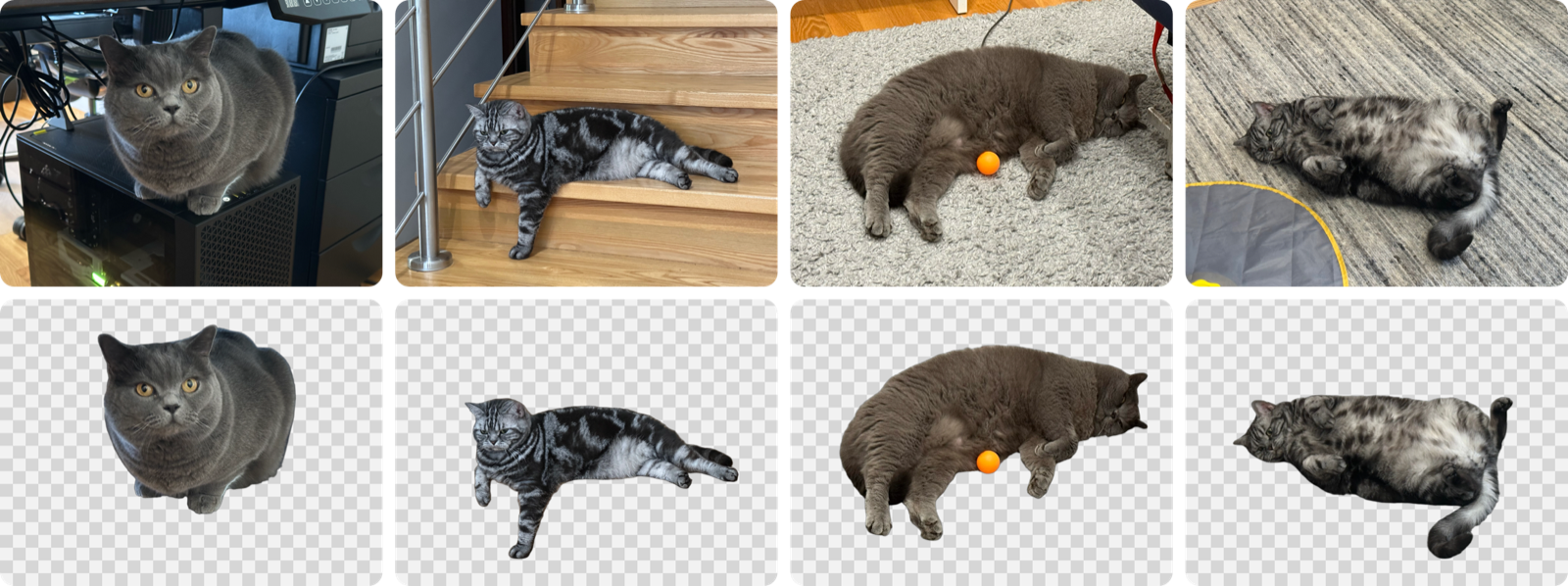
Top: the originals. Bottom: what BiRefNet kept. The railing, the cables and the rug all go,
the whiskers and the ball stay.
ffmpeg 9.0.1, static, arm64, linking nothing but system libraries. Built with
x264, x265, SVT-AV1, libvpx, Opus, LAME, libwebp and dav1d, plus VideoToolbox and
AudioToolbox. Exact versions are in vendor/BUILDINFO.txt.
Prefer your own? Settings can switch to Homebrew's ffmpeg or any path you like.
swift testThe integration tests run real conversions and are skipped unless you point them at a folder of sample files:
FFMEP_FIXTURES=/path/to/fixtures swift test --filter IntegrationTestsThey use the ffmpeg in vendor/ by default, or Homebrew's with FFMEP_FFMPEG=homebrew.
make-app.sh also fixes one thing SwiftPM gets wrong for this app. SwiftPM records
the deployment target as the SDK version in the binary, and macOS 26 then runs the
app in legacy appearance mode, without Liquid Glass. The script writes the real SDK
version back in with vtool.
The BiRefNet conversion scripts live in scripts/birefnet, with
usage notes at the top of convert.py.
GPLv3, see LICENSE. The bundled ffmpeg is built with --enable-gpl and
--enable-version3, so it is GPLv3 too. Its license files are in
vendor/licenses.